Buzz Up
  • Home
  • Automotive
    • Cars
    • Motorcycle
  • Business
    • Finance
    • Planning
    • Trading
  • Buzz
  • Entertainment
    • Games
    • Movies & TV
    • Music
  • LifeStyle
    • Career
    • Health
    • Home
    • Travel
  • Showbizz
    • Fashion
    • Gossip
  • Tech
    • Applications
    • Computing
    • Phones & Gadgets
    • Science
Home  /  Phones & Gadgets  /  5 Android Functions That You Will Not Find On an iPhone

5 Android Functions That You Will Not Find On an iPhone

Eleena Brown March 11, 2020 Phones & Gadgets Comments are off
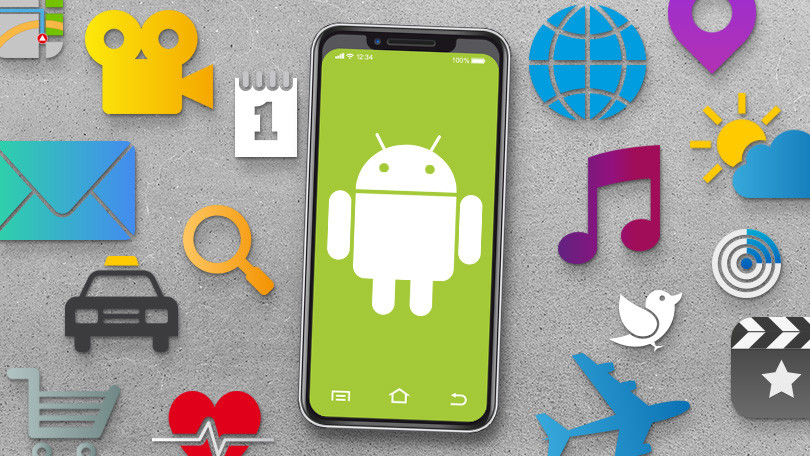
Android Functions

Every time we can do more things on our smartphone but, depending on the operating system we use, we can enjoy some functions or others. Today we bring you 5 Android features that you will not find on an iPhone – without opening a debate about which one is better.

For tastes, colors – and operating systems too. There are some users who prefer to use an Android phone, while others are loyal to Apple and its iPhones.

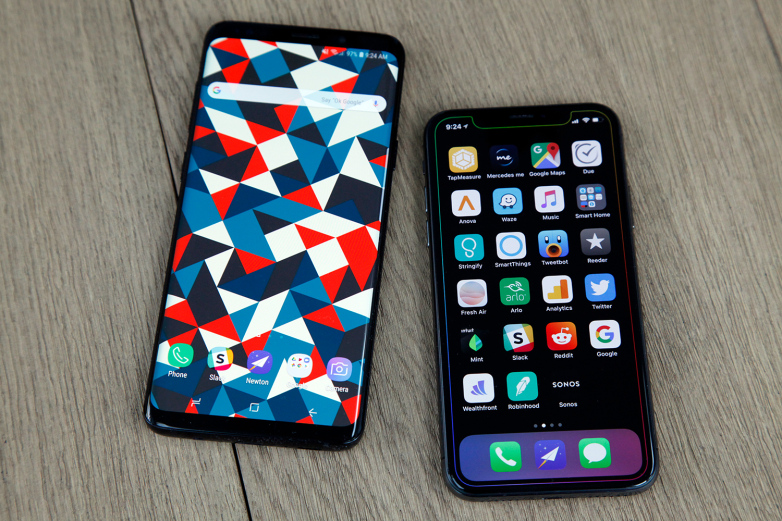
Both in iOS and Android we can find very advanced functions nowadays, but the truth is that they are not always the same. In an Android phone we can do things that we cannot do with an iPhone and vice versa.
Android Functions

Today we are going to focus on some of the functions offered by Android phones that you will not find in an iPhone, without entering into a debate about which is better.

Table of Contents

Toggle
  • Multiple users and guest profile
  • Customize the home screen to another level
  • Default Apps
  • Lock screen with information
  • Split screen mode

Multiple users and guest profile

An interesting feature of Android is that we can add different user accounts (as in a computer) and even a profile for guests. This way you can leave your phone to others without worrying about hiding your deepest secrets.

Customize the home screen to another level

In Android we can not only move the apps and put them in folders as in iOS, but we can rearrange the home screen completely by adding widgets with important information. There are also third-party apps that allow you to go much further by changing the size of icons, among others.

Default Apps

In Android you can choose which apps you want to run by default: from the browser that will open all the links, to the keyboard or the photo app. Also, once you choose you can change it again in the future. In iOS instead you can download alternative apps but you cannot set them as the default option.

Lock screen with information

In the latest Android phones you can configure it so that the information regarding notifications, time, battery level, among others, is always shown in the lock screen. You can also deactivate it if you want and, in certain devices, even establish what time you want it to be displayed.

Split screen mode

From Android 7.0 Nougat we have the possibility to use the split screen mode comfortably, allowing us to operate with two apps at once. While in iPad if we have this feature, in iPhone we can only do this with external apps.

Tags: Android, iPhone

Previous Article
Next Article

About Author

Eleena Brown

Related Posts

  • The benefits of using a Multi Network Sim Card

    November 22, 2023
  • Sony WH-1000XM3

    Sony WH-1000XM3: The perfect rival to beat the other headphones with noise cancellation

    January 2, 2020
  • iPhone Xs

    iPhone Xs, the 5 key points of Apple’s latest smartphone

    September 22, 2018

Recent Posts

  • Turn your sales presentation into a decision-making engine. Learn practical frameworks to design pitch decks your buyers can use to sell for you internally.
    How To Build Sales Presentations Buyers Can Use September 12, 2026
  • Step-by-step guide to researching property records before closing. Access county deed registries, verify tax history, and inspect easements like a real pro.
    How to Review Property Records Before Buying a Home September 12, 2026
  • Remove toxic thirdhand smoke and heavy nicotine tar from your HVAC system. Learn how source-removal duct cleaning completely neutralizes stale cigarette stench.
    Eliminating Deep-Set Nicotine Tar Through Air Duct Cleaning September 12, 2026
  • Plan a high-converting online store before you build. Discover wireframing, user journey mapping, and funnel strategies designed to drive sales from day one.
    How To Plan A High-Converting Online Store Before You Build It September 10, 2026
  • Need to sell your house fast in Tuscaloosa, AL? Get a fair cash offer, skip costly repairs and fees, and close on your timeline. Request an offer today!
    Selling a House Fast in Tuscaloosa, Alabama: A Practical Guide to Your Options September 10, 2026
  • Learn how to track federal policy changes, monitor key regulations, and actively engage in civic life to make your voice heard. Start making an impact today.
    How to Track Federal Policy Changes and Take Part in Civic Life September 9, 2026

Categories

  • Applications
  • Automotive
  • Business
  • Buzz
  • Career
  • Cars
  • Computing
  • Entertainment
  • Fashion
  • Finance
  • Foreign Article
  • Games
  • Gossip
  • Health
  • Home
  • LifeStyle
  • Motorcycle
  • Movies & TV
  • Music
  • Phones & Gadgets
  • Planning
  • Science
  • Showbizz
  • Tech
  • Trading
  • Travel

Quick Links

  • Home
  • About
  • Terms
  • Contact Us
  • Privacy Policy
Theme by ThemesPie | Proudly Powered by WordPress