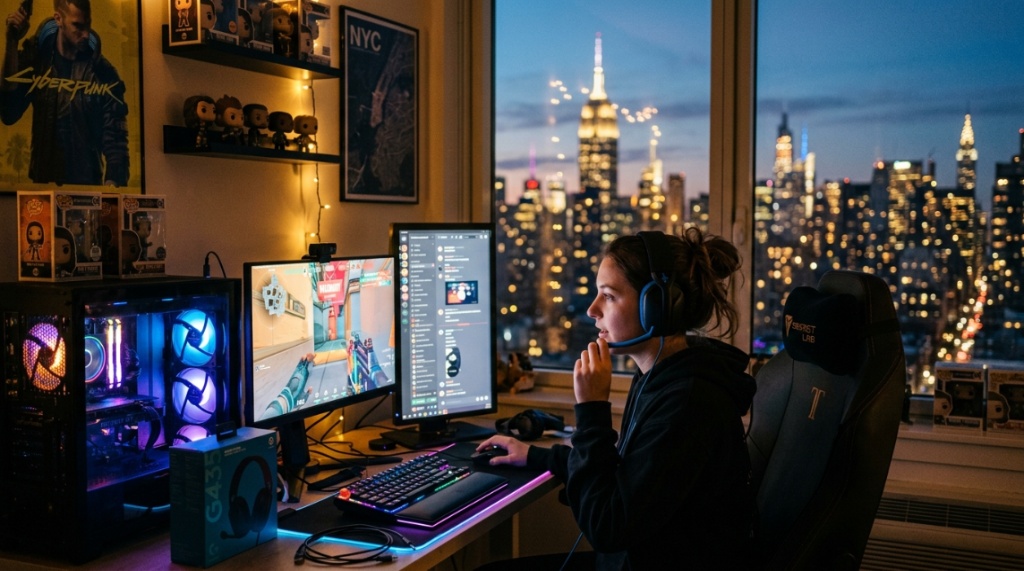
You finally have a free weekend to grind through your backlog, but the moment you plug in your current headset, you hear static, crackling, and a tinny sound that ruins every explosion and footstep. Living in New York means dealing with noise from traffic, neighbors, and the subway—so your audio gear has to work harder. Finding affordable gaming headsets New York residents can actually rely on doesn’t have to feel like a side quest. Whether you’re in a cramped Brooklyn apartment or a dorm room in Manhattan, this guide walks you through exactly where to look, what features matter most, and how to avoid overpaying for flashy marketing.
What Makes a Gaming Headset Affordable Without Sacrificing Quality?
Defining “Affordable” in the Current Gaming Market
Affordable doesn’t mean cheap in a bad way. For most gamers in New York, an affordable headset falls between $30 and $80. At this price point, you avoid the $10 earbuds that break in a week and the $300 flagship models packed with features you may never use. Look for headsets that offer balanced sound, a decent microphone, and comfortable padding—these are the non-negotiable basics.
Key Features That Justify Lower Prices
Budget models often cut costs on materials (plastic instead of metal) and skip premium extras like surround sound software. However, many still deliver solid audio drivers (40mm to 50mm) and noise-isolating ear cups. Pay attention to frequency response: a range of 20Hz–20kHz is standard, but anything that extends lower (down to 15Hz) gives you better bass without rattling your desk.
Why Brand Reputation Matters More Than Price Tags
HyperX, SteelSeries, Corsair, and Razer all produce budget-friendly lines. You don’t need to buy the most expensive model from these brands—their entry-level headsets (like the HyperX Cloud Stinger or SteelSeries Arctis 1) consistently outperform no-name brands at the same price. Trust the engineering, not the RGB lights.
Where Should You Shop for Affordable Gaming Headsets in New York?
Retail Stores You Can Visit Today
New York is one of the best cities for instant shopping. Visit Best Buy on 23rd Street, Micro Center in Brooklyn, or B&H Photo Video in Midtown Manhattan. These stores have demo units so you can test weight, comfort, and sound quality before buying. Additionally, clearance sections in these stores often contain last year’s models at steep discounts.
Online Marketplaces With Fast Shipping to NYC
Amazon, Newegg, and Walmart offer next-day or same-day delivery across most ZIP codes in the five boroughs. Use filters to limit results between $30 and $80, and sort by customer ratings. Pay attention to reviews from verified purchasers—especially ones that mention durability or microphone quality, common pain points for budget headsets,
Looking to reduce lag while gaming online? Learn more about How Wi-Fi Works to optimize your wireless connection.
Local Secondhand and Refurbished Options
Check Facebook Marketplace, Craigslist NYC, and local pawn shops. Many New Yorkers upgrade their gear frequently, so you can find a gently used headset originally priced at $120 for $40. Just make sure to test the audio, check for frayed cables, and wipe down the ear pads before use. Refurbished units from retailers like Best Buy also come with a 90-day warranty.
Which Audio Features Matter Most for NYC Gamers?
Closed-Back vs. Open-Back Design
In a noisy city, closed-back headsets are your best friend. They block out street sounds and prevent your game audio from leaking into a roommate’s space. Open-back headsets sound more natural but let in every siren and honk—avoid them unless you have a dedicated quiet room.
Surround Sound vs. Stereo for Competitive Play
True 7.1 surround sound in affordable headsets is usually simulated (virtual surround sound). For most games like Apex Legends or Call of Duty, stereo audio with good imaging is enough to hear footsteps and gunfire direction. Virtual surround sound can muddy the audio on budget models, so prioritize clear stereo performance first.
Microphone Quality for Online Multiplayer
A microphone with noise cancellation (even basic) is critical when you’re gaming in a busy apartment. Look for detachable or flexible boom mics. Avoid headsets with in-line microphones on the cable—they pick up every keyboard click and background conversation.
How Much Should You Expect to Spend on a Decent Headset in NY?
Entry-Level Options ($20–$40)
At this price, you get basic stereo sound and plastic construction. The Turtle Beach Recon 70 and Logitech G332 are solid choices. However, expect shorter lifespans and less comfortable padding. If you’re on a strict budget, these work for occasional gaming but may not survive daily use.
Mid-Range Sweet Spot ($40–$80)
This is where real value lives. Headsets in this range include the Razer Kraken X, Corsair HS35, and HyperX Cloud Stinger 2. You get memory foam ear cups, adjustable headbands, and better microphones. Most importantly, the audio drivers are tuned for gaming—crisp mids for dialogue and punchy lows for explosions.
What You Gain by Spending a Bit More ($80–$120)
If you can stretch your budget slightly, you’ll find headsets with USB DACs, software EQ customization, and sturdier build quality. For instance, the SteelSeries Arctis 3 or HyperX Cloud Alpha offer noticeably clearer sound separation. Still, the jump from $40 to $80 gives you 80% of the quality without the premium price.
Can You Find Wireless Affordable Gaming Headsets in New York?
Wireless Under $100: Is It Worth It?
Yes, but with trade-offs. Wireless headsets in the $50–$100 range (like the Logitech G435 or Razer Barracuda X) sacrifice some sound quality and battery life compared to wired options at the same price. You also lose the ability to use them while charging unless you buy a spare cable. For NYC commuters who game on laptops or Nintendo Switch, the convenience is worth the compromise.
Battery Life Expectations for Budget Wireless Models
Most affordable wireless headsets offer 15–20 hours of battery life. That’s enough for a long weekend session but will need charging after a few days of heavy use. Look for models with USB-C charging—they charge faster and use the same cable as your phone or laptop.
Latency Concerns in Wireless Budget Headsets
Bluetooth headsets often have noticeable audio lag (over 40ms), which makes rhythm games and competitive shooters frustrating. Instead, choose wireless headsets that come with a USB dongle (2.4GHz connection). These have near-zero latency and work better with PCs and consoles. The dongle is a small trade-off for reliable performance.
How to Test a Gaming Headset Before Buying in NYC Stores
Comfort and Fit Evaluation
Wear the headset for at least five minutes in the store. Press the ear cups against your head to see if the clamping force feels light or suffocating. The headband should distribute weight evenly—heavy headsets (over 300 grams) cause fatigue during long sessions. Many NYC retailers have display units ready to try.
Sound Quality Listening Test
Most demo units have audio playing. Listen for clarity in the mids (voices should sound natural) and check if bass overpowers everything. A good test is playing a YouTube video with footsteps or environmental sounds—can you distinguish direction and distance? If not, move on.
Microphone Recording Check
Use your phone’s voice memo app to record a quick sample with the headset mic. Ask the store associate to help you transfer the recording. Listen in a quiet area—if the audio is muffled, thin, or picks up too much background noise, reject that model.
Which Brands Offer the Best Affordable Gaming Headsets for New York Residents?
HyperX: The Gold Standard for Budget Audio
HyperX’s Cloud series dominates the budget category. The HyperX Cloud Stinger 2 (around $50) features 50mm drivers, a noise-canceling mic, and plush memory foam. It’s durable, lightweight (275g), and works with PC, PS5, Xbox, and Switch. Many NYC gamers consider it the safest purchase under $80.
SteelSeries: Balanced Sound and Sleek Design
The SteelSeries Arctis 1 (around $50) uses the same driver design as their premium models. It comes with a detachable microphone and a lightweight aluminum frame—rare in this price range. The audio tuning is neutral, making it great for both gaming and music listening on the go.
Razer and Corsair: Feature-Rich Budget Options
Razer’s Kraken X (around $40) is an ultralight headset with decent 7.1 surround simulation. Corsair’s HS35 (around $50) offers plush ear cups and a microphone that flips up to mute. Both brands provide reliable software support for EQ adjustments if you want to fine-tune your audio profile. For more specific recommendations and current pricing, check this curated list of affordable gaming headsets New York shoppers have found reliable.
How Do You Maintain a Budget Gaming Headset in a City Environment?
Cleaning Ear Pads and Headbands
New York humidity and dust can degrade foam quickly. Wipe ear pads weekly with a slightly damp microfiber cloth. If they are removable (many budget models are not), wash them with mild soap every three months. Avoid alcohol wipes—they dry out and crack synthetic leather.
Storing Your Headset to Avoid Damage
Don’t throw your headset in a backpack with loose cables and water bottles. Use a padded carrying case or simply a headphone stand. Cables are the most common failure point—never bend them sharply near the connector. Instead, wrap them loosely in a figure-eight pattern.
Replacing Parts Instead of the Whole Headset
Some budget headsets have replaceable ear pads and cables. If your microphone fails but the audio still works, consider a USB desktop mic instead of binning the whole setup. This extends the headset’s life by months and saves you money—a win for both your wallet and the environment.
What Are the Most Common Mistakes When Buying Affordable Headsets in NYC?
Prioritizing “Gaming” Looks Over Functionality
Flashy RGB lighting and angular designs cost money that could go toward better drivers or comfort. A simple black headset with good padding and clear audio will serve you better than a “gamer” model with flashing lights and cheap plastic joints.
Ignoring Platform Compatibility
Not all budget headsets work with Xbox, PlayStation, PC, and Switch equally. Xbox requires a headset with a single 3.5mm jack (no separate mic/audio cables). PC and PlayStation usually accept USB or standard 3.5mm. Check the compatibility list on the box or product page before buying to avoid frustration.
Forgetting About Return Policies
New York retailers have varied return policies. Amazon gives 30 days for most items, but some electronics have shorter windows. Keep the original packaging and receipt. If the headset feels uncomfortable after two hours of use, return it immediately—comfort is subjective and can’t be fixed with adjustments.
Can You Use Affordable Gaming Headsets for Music and Work Calls?
Versatility for Daily Use
Many affordable gaming headsets double as decent headphones for music and Zoom meetings. The same 40mm–50mm drivers that handle game explosions also reproduce vocals clearly. Just avoid models with heavy bass emphasis (like some Razer headsets) if you listen to acoustic or classical music.
Microphone vs. Headphone Quality Balance
Budget headsets often prioritize microphone quality over headphone sound or vice versa. For work calls, you need a clean mic that doesn’t pick up keyboard clicks or traffic noise. For gaming, you need clear positional audio. Choose based on which activity you do more—ideally, find a headset that does both competently at $60–$80.
Using a Headset Splitter for PC and Laptop
Many gaming headsets use a single 3.5mm TRRS plug. Most laptops and desktops have separate audio and mic jacks. Buy a simple splitter cable (under $5) to connect correctly. Without it, your microphone won’t work or you’ll only get audio through one ear.
What Should You Do If Your Affordable Headset Breaks Within a Month?
Check the Warranty Immediately
Most budget headsets (under $80) come with a 1- to 2-year limited warranty. Contact the manufacturer directly—HyperX and SteelSeries have responsive customer service. Many times, they’ll replace the unit without requiring you to return it. Document the defect with photos and proof of purchase.
Repair vs. Replace Decision
If the issue is a frayed cable or broken earcup hinge, a local electronics repair shop in Manhattan or Brooklyn may fix it for $15–$25. However, for internal driver failure (distorted sound), replacement is usually cheaper. Budget headsets are not designed to be serviced, so DIY fixes often void the warranty.
Preventive Tips for Longevity
Always unplug the headset by pulling the connector, not the cable. Keep the volume at 60–70% max (higher levels can blow small drivers over time). If you use them daily, a cheap headphone stand keeps the ear cups ventilated and prevents sweat damage in humid NYC summers.
Frequently Asked Questions
Can I use a gaming headset for work calls in New York?
Yes, many affordable gaming headsets are suitable for work calls. Look for models with a detachable microphone and a neutral sound signature. Ensure the microphone has noise cancellation to filter out office or street noise.
How long do budget gaming headsets usually last?
With proper care, a budget headset in the $40–$80 range lasts 12 to 18 months. The ear pads and cables are the first to fail. Higher-quality models (like HyperX) can push beyond 2 years with light use.
Are wireless gaming headsets under $80 reliable?
Wireless models under $80 are generally reliable for casual gaming. However, they often have reduced battery life (around 15 hours) and may introduce slight audio compression. Wired models offer better sound quality at the same price point.
Where can I try gaming headsets before buying in NYC?
Best Buy on 23rd Street, Micro Center in Brooklyn, and B&H Photo Video in Midtown all offer demo units. You can test comfort, sound quality, and mic performance in person before making a purchase.
What is the best affordable gaming headset for small heads or glasses?
The HyperX Cloud Stinger 2 has a lightweight design and soft ear cups that work well for glasses. The SteelSeries Arctis 1 also features an adjustable headband that reduces pressure on frames.
Do cheap gaming headsets support surround sound?
Most budget headsets offer virtual surround sound via software. The effect varies—some models (like the Razer Kraken X) implement it better than others. For competitive gaming, stereo with good imaging is often more accurate than virtual surround.
Can I return a gaming headset if it doesn’t fit comfortably?
Yes, most retailers in New York accept returns within 30 days if the item is unused or lightly tested. Keep all packaging and proof of purchase. Check the specific store policy before buying.
Conclusion
Finding affordable gaming headsets New York residents can count on comes down to knowing exactly what you need before you step into a store or click “buy.” Focus on sound quality (clear mids, decent bass), microphone clarity, and comfort—especially if you game for hours in a noisy apartment. Visit local retailers to test fit, or take advantage of fast shipping from online stores. Start with the brands that have proven track records (HyperX, SteelSeries, Razer, Corsair) and avoid the gimmicks that drain your wallet. Your next headset should make gaming better, not just look cool. With this guide, you’ll stop wasting money on bad audio and start hearing every detail that makes gaming great.
Don’t settle for the first headset you see. Compare prices, read reviews, and take advantage of New York’s dense retail options. The perfect affordable headset is out there—now you know where and how to find it.